
Review note
Old documentation, kept for review. This page is retold in the new docs: Ask AI.
Ask AI for measures and sheets
Ask AI in Soterre BI Ops Analytics is designed to empower routine development with AI-generated content.
INFO
Available for Qlik Sense/Cloud.
TIP
Make sure to have Soterre Helper turned on and configure AI Integration.
Find Ask AI buttons
Qlik Measures
Navigate to the measure edit mode > you will see two Ask AI buttons near measure name and measure description.
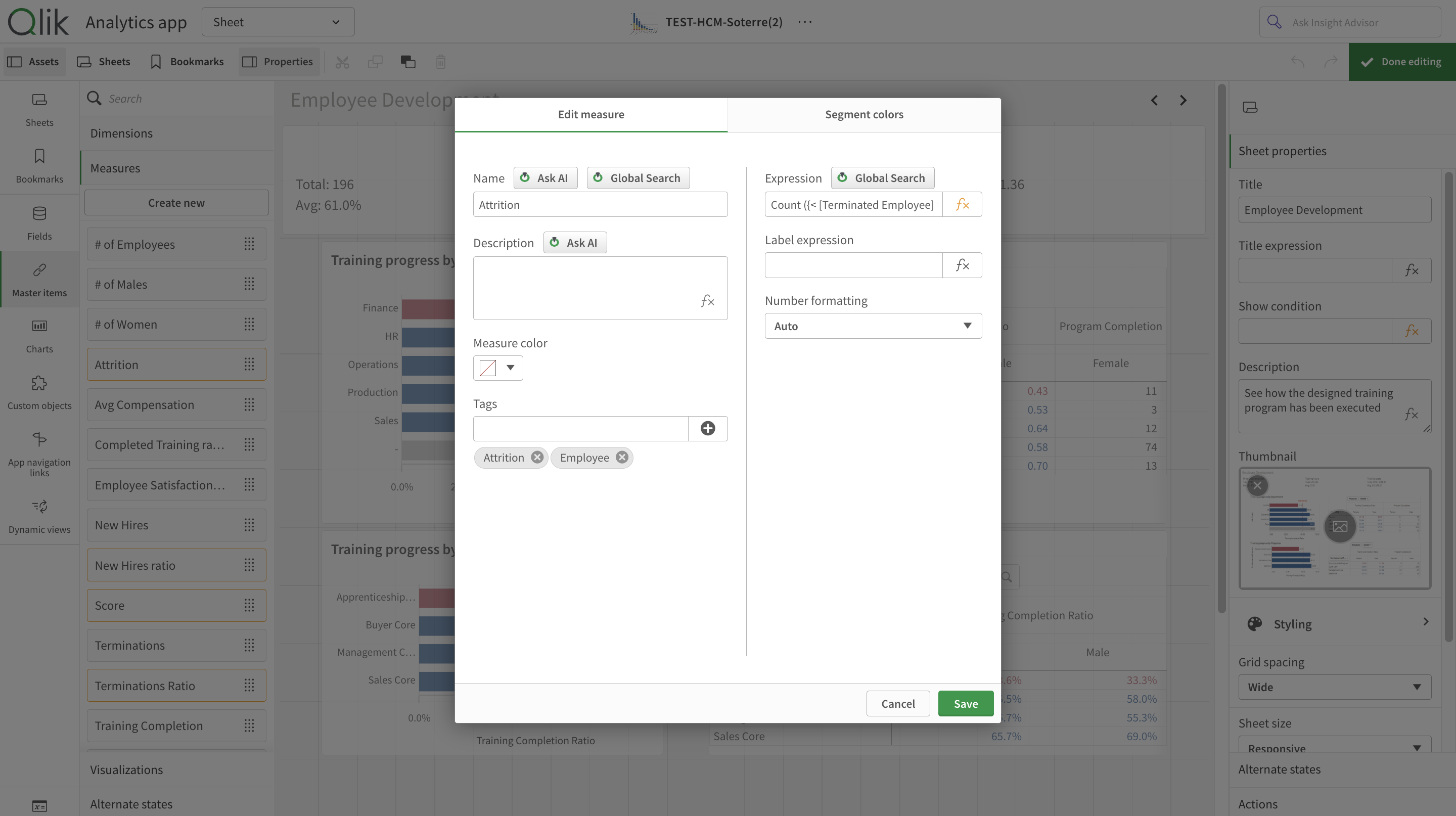
Soterre BI Ops Analytics AskAI for Qlik measures
Qlik Sheets
Navigate to Sheets overview > Edit sheet > you will see two Ask AI buttons near sheet title and description.

Soterre BI Ops Analytics AskAI for Qlik sheets
Generate!
Click on Ask AI and watch the magic happen. But before, review the request Soterre BI Ops Analytics sends to AI by validating the prompt. If you don't want to receive the request confirmation window, you disable it in Options > Integrations > AI Integration.
Note that every prompt is configurable in Options.
Qlik Measures
For Measure names and descriptions, Soterre BI Ops Analytics takes the $formulaExpression information in context.
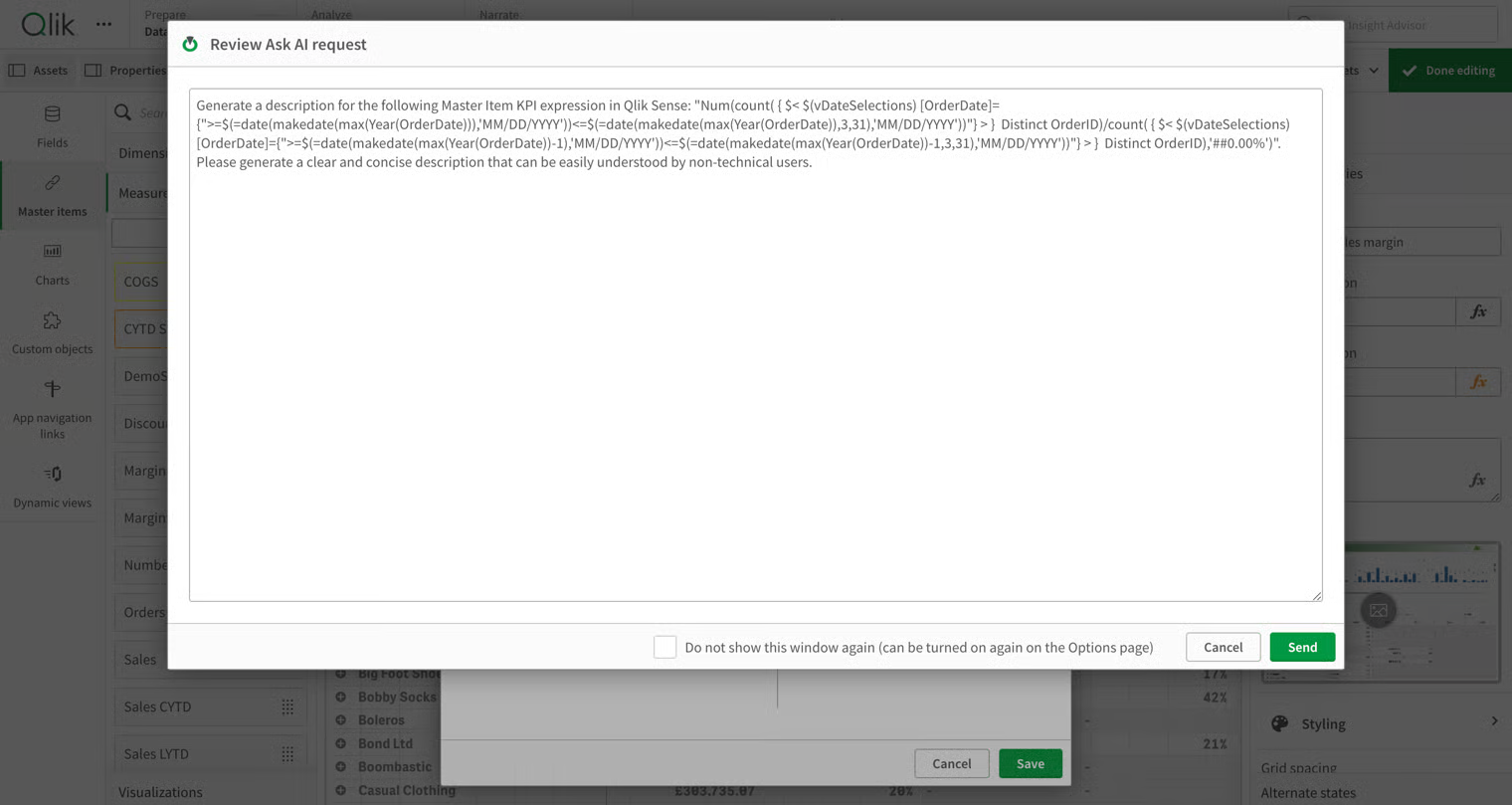
Soterre BI Ops Analytics AskAI request confirmation window
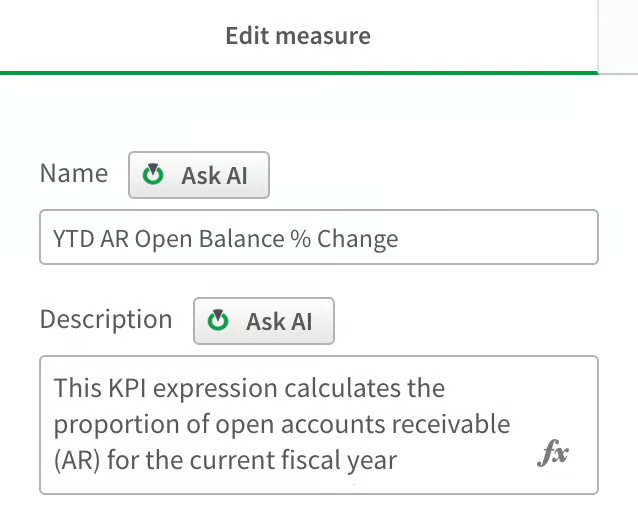
Soterre BI Ops Analytics AskAI generated measure name & description
Qlik Sheets
For Measure names and descriptions, Soterre BI Ops Analytics takes the $sheetCharts and $chartList information in context.

Soterre BI Ops Analytics AskAI generated sheet name & description