
QSDA Pro Integration
QSDA Pro (Qlik Sense Document Analyzer) analyses apps for quality, performance and best-practice issues. The extension shows its inspections in the QSDA Pro tab, starts new analyses and attaches QSDA flags to charts in QSDA Calctime.
Get the API token
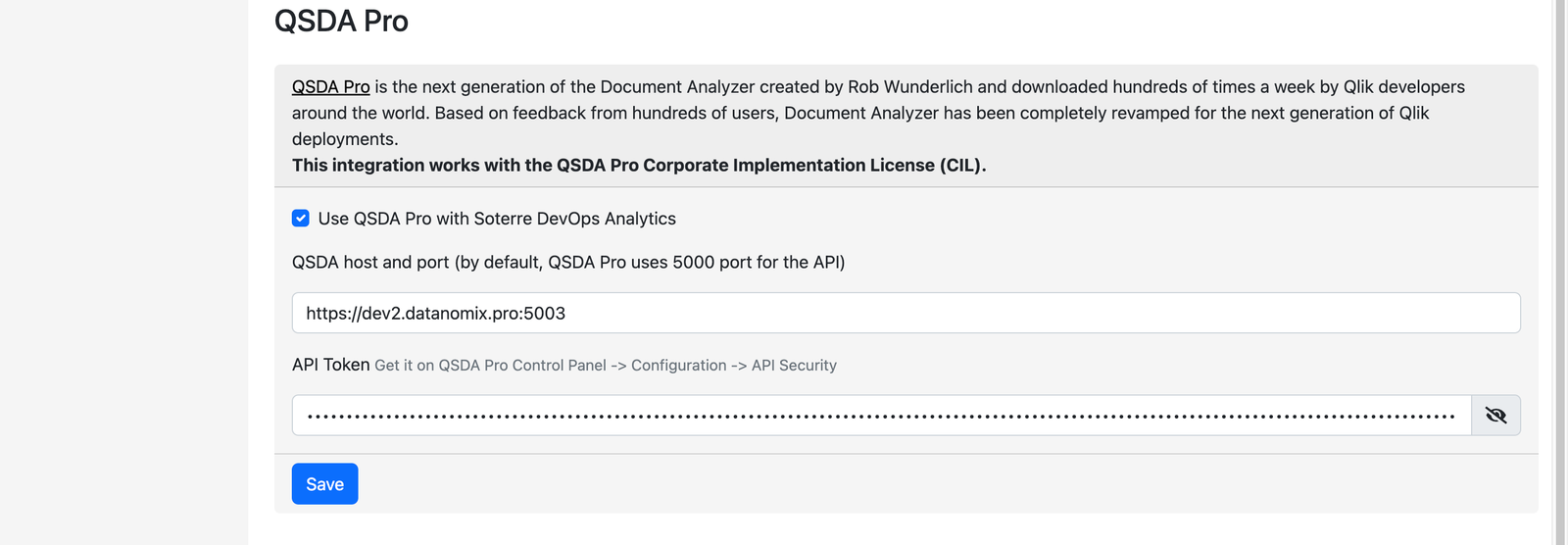
In the QSDA Pro control panel open Configuration → API Security and copy the API token. QSDA Pro serves its API on port 5000 by default.
Enter the server
Options page → Integrations → QSDA Pro. Tick Use QSDA Pro with Soterre BI Ops Analytics, enter QSDA host and port (for example https://qsda.example.com:5000) and the API Token, then click Save.
Connect QSDA Pro to the Qlik server
QSDA Pro must already have a connection to the Qlik Sense server or Qlik Cloud tenant of the app you analyse; the extension lists those connections when you create a new analysis.
Without a QSDA Pro connection the QSDA Pro tab explains that the Qlik server is not connected; QSDA Calctime still measures calculation times on its own.