
QVD Files Lineage
Qlik Cloudsupported Qlik Sense Enterprisesupported
QVD Files Lineage maps the QVD files around the open Qlik app: the files its load script reads (References), the files it stores (Generates), and for every file the other applications that use it. The data comes from Soterre's dependencies graph.
Open it
Popup or side panel → Tools → QVD Files Lineage, or the extension icon menu → Tools → QVD Files Lineage (opens the side panel). The tab is available on Qlik app pages, including the Data Load Editor.
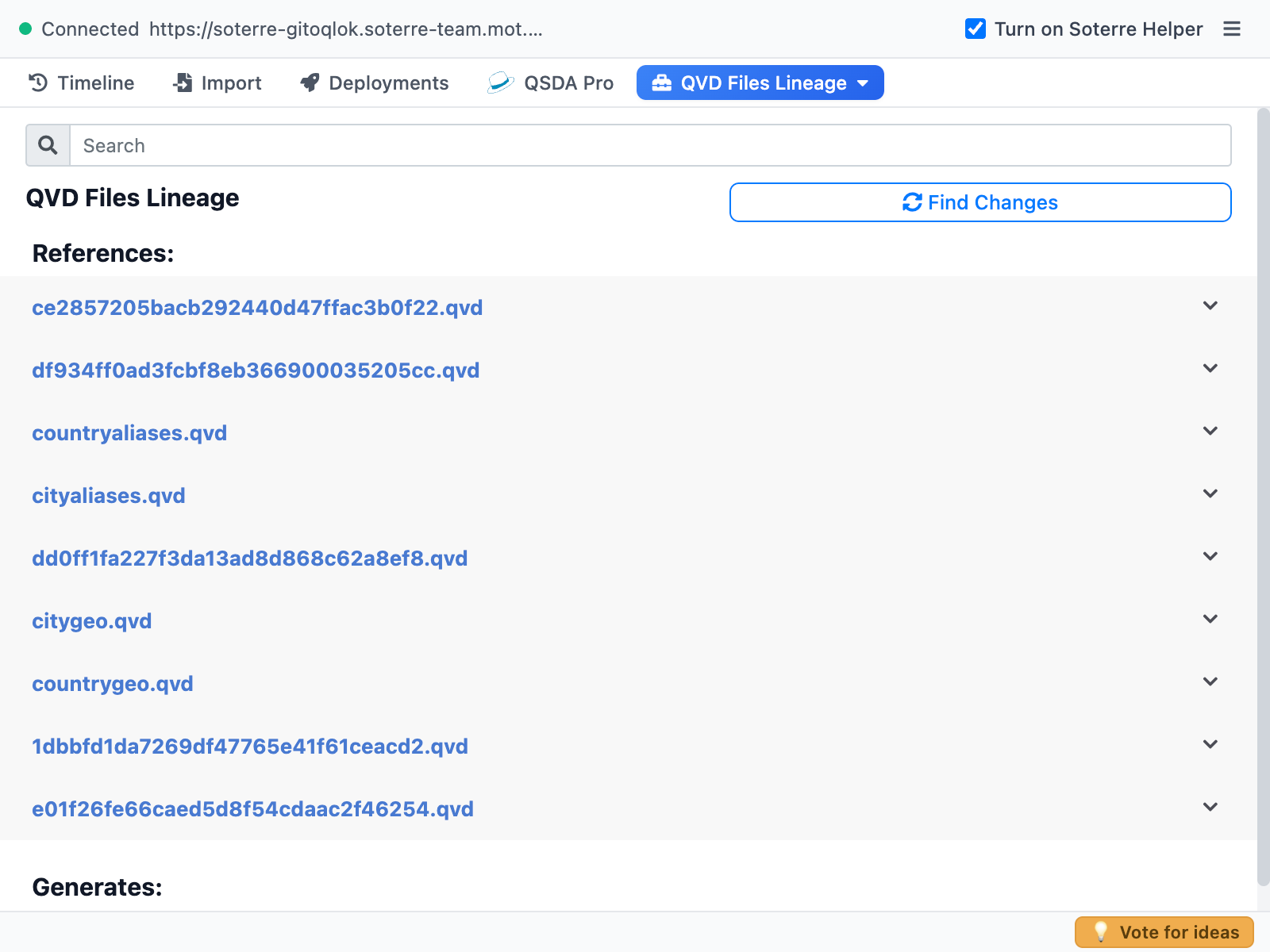
Reading the lineage
- References — every QVD the app loads. Expand a file to see the other apps that reference it and the app that generates it; the names are links that open those apps.
- Generates — every QVD the app stores. Expand a file to see which apps consume it.
- Search filters the file names.
- Find Changes asks Soterre to re-scan the current app and refreshes the lineage.
Questions it answers
- Which QVD files does my app depend on, and where do they come from?
- Which apps break if I change the layout of a QVD my app generates?
- Are two apps generating the same file?
Soterre setting
Enable the Dependencies graph for the environment in Soterre; the lineage is empty otherwise.
For a single FROM [lib://…/file.qvd] statement the QVD Links icon in the Data Load Editor jumps directly to the generating app.