
Review note
Old documentation, kept for review. Not retold in the new docs: this is an accidental duplicate of Highlighted Master Items; candidate for deletion.
Copy of Highlighted Master Items
Highlighted Master Items helps detect unused, erroneous, and duplicated master items.
INFO
Available in Qlik Sense/Cloud.
TIP
Make sure to have Soterre Helper turned on.
Navigate to Master Items
In a sheet edit mode open the Master Items on the left panel of your sheet.
Explore Highlighted Master Measures/Dimensions
UnusedMaster Items are highlightedorange;DuplicatedMaster Items are highlightedyellow;- Master Items with
errorsare highlightedred.
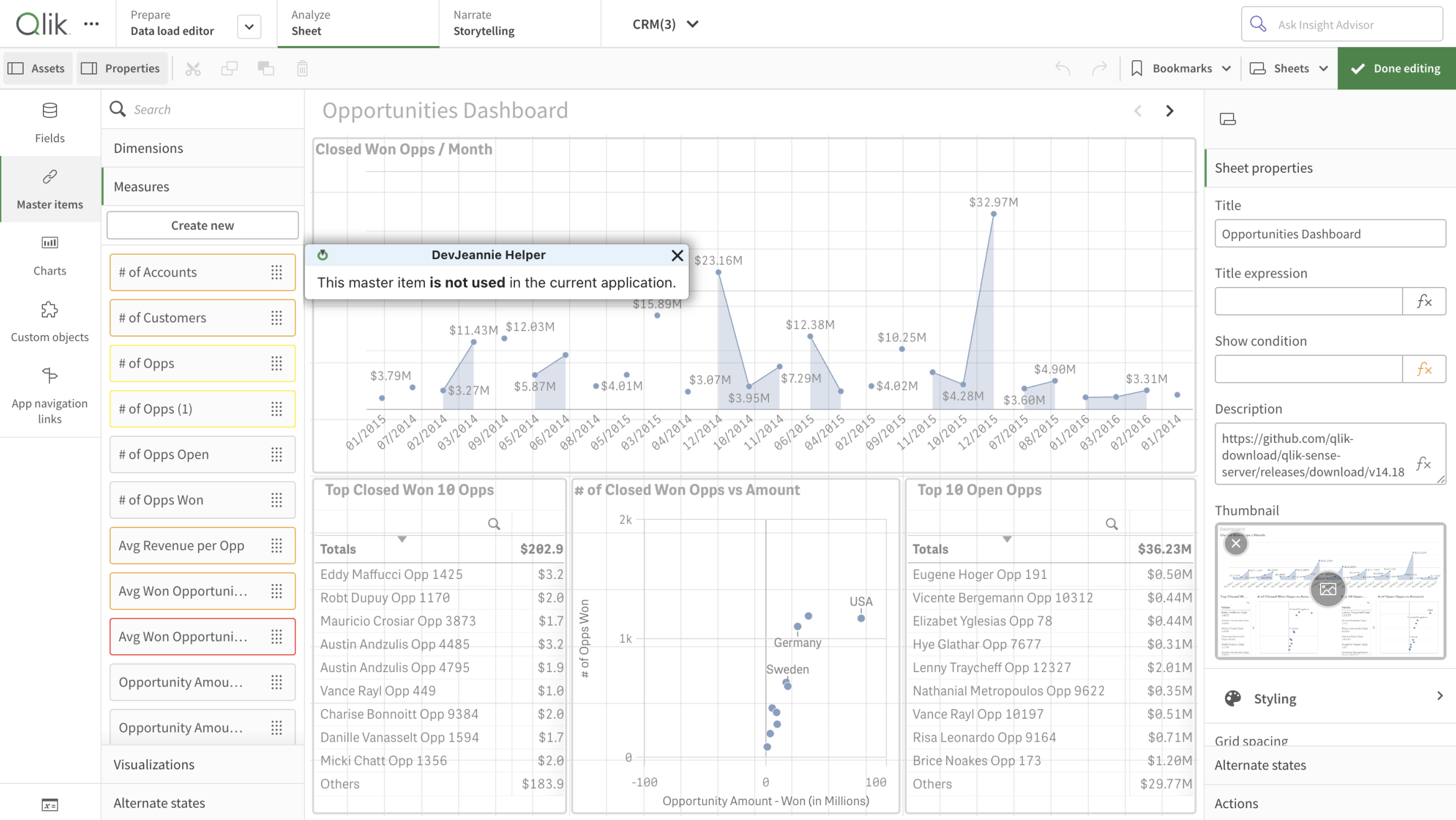
Highlighted Master Items in Qlik Sense/Cloud