
Set a Thumbnail
Qlik Cloudsupported Qlik Sense Enterprisesupported Soterre Helperrequired
Thumbnail Assistance creates consistent sheet covers without leaving Qlik: a coloured card with a title, subtitle and icon, or a screenshot of the sheet cropped to Qlik's 14:9 thumbnail ratio.
Open the dialog
On a sheet click the green helper button and choose Set a thumbnail.
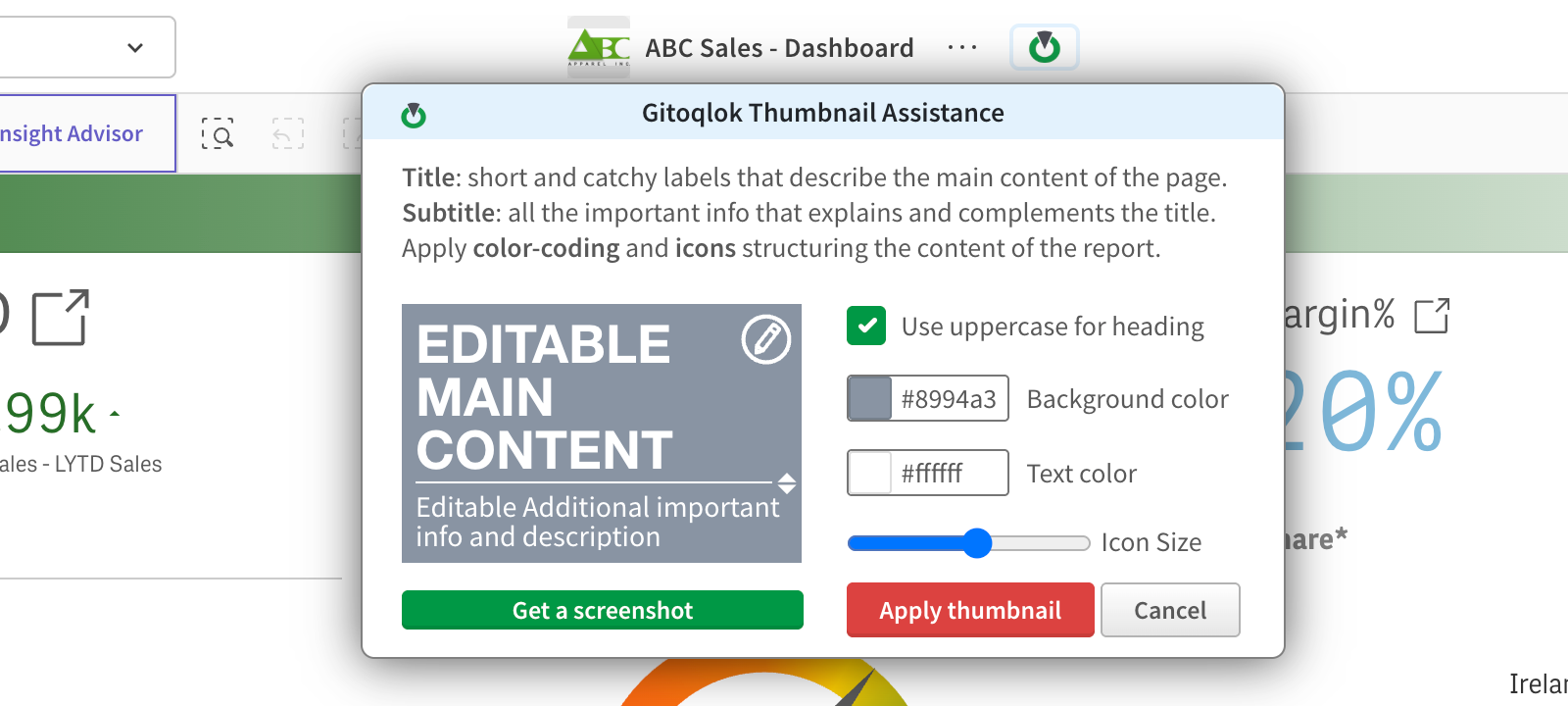
Design the card
- Click the main content and the description text on the preview to edit them.
- Use uppercase for heading switches the title case.
- Background color and Text color accept any hex value; the swatches offer presets.
- The pencil icon on the preview opens an icon picker; Icon Size scales it.
Or take a screenshot
Get a screenshot captures the sheet; crop the area you want and it becomes the thumbnail.
Apply
Apply thumbnail uploads the image to the app content and sets it as the sheet thumbnail.