
Review note
Old documentation, kept for review. This page is retold in the new docs: Timeline.
Soterre Timeline in Extension Popup
Soterre BI Ops Analytics surfaces the Soterre versioning data and capabilities right to your Qlik/Power BI interface.
INFO
Available for Qlik Sense/Cloud (apps) and Power BI Web (reports).
TIP
Make sure to have your apps versioned in Soterre.
Explore the Soterre timeline from Soterre BI Ops Analytics popup
Qlik app
Navigate to the Qlik app and click on the Soterre BI Ops Analytics icon in the upper right corner of your browser.
INFO
You can pin Soterre BI Ops Analytics extension in the browser so that you don't have to open the extensions list every time.
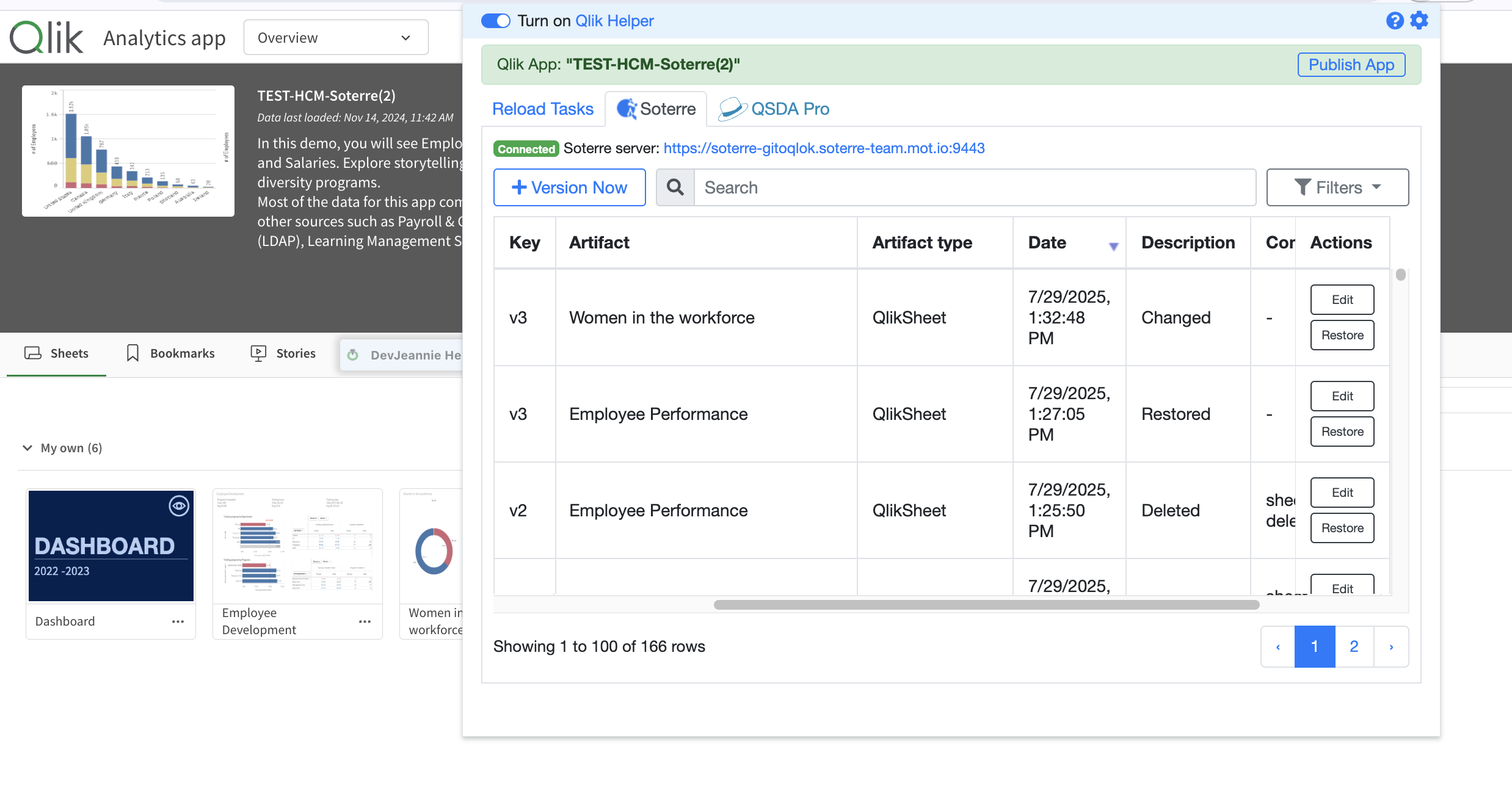
Soterre BI Ops Analytics: Soterre timeline in Qlik UI
Power BI report
Navigate to the Power BI report and click on the Soterre BI Ops Analytics icon in the upper right corner of your browser.
Perform versioning operations
Qlik app
You could perform different versioning operations right through the Soterre BI Ops Analytics popup:
- Version now, an equivalent to Find Changes in Soterre;
- Restore a version;
- Edit change event - add comment/add a ticket reference;
Power BI report
You could perform different versioning operations right through the Soterre BI Ops Analytics popup:
- Version now, an equivalent to Find Changes in Soterre;
- Restore a version;
- Edit change event - add comment/add a ticket reference;