
AI Integration
Ask AI generates titles and descriptions for sheets and master items, explains load script errors and writes the summaries in Lifecycle Insights. It needs an API key of an AI provider that you supply; requests go straight from your browser to the provider.
On Power BI the key powers the Ask AI summaries of Lifecycle Insights; the in-page Ask AI buttons in the editor are Qlik-only.
Configure a provider
Options page → Integrations → AI Integration.
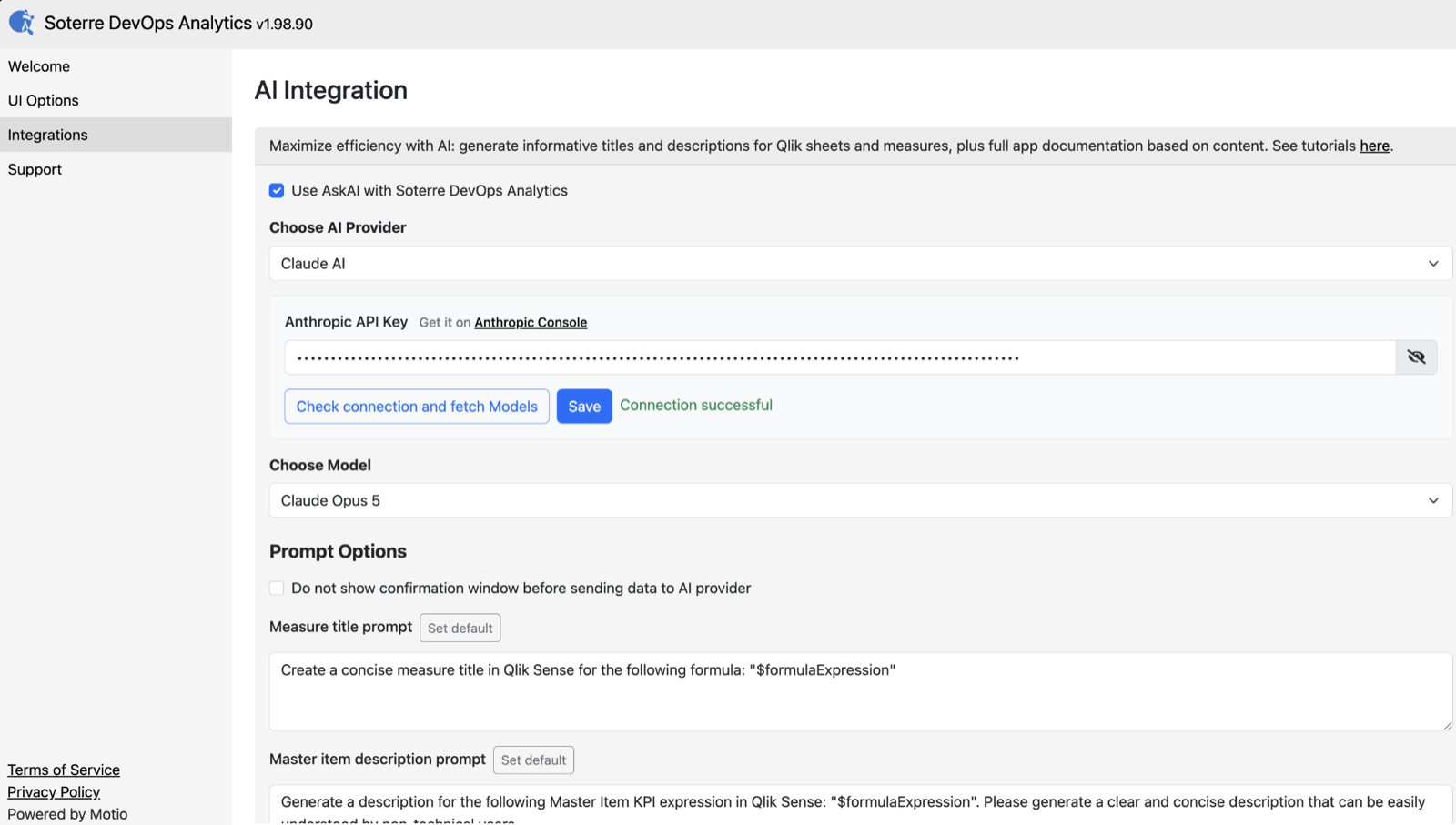
Enable Ask AI
Tick Use AskAI with Soterre BI Ops Analytics.
Choose the provider
| Provider | Where to get the key | Notes |
|---|---|---|
| OpenAI | platform.openai.com | An OpenAI API subscription is separate from ChatGPT |
| Google Gemini | Google AI Studio | |
| Claude AI | Anthropic Console | |
| Microsoft Copilot | Azure Portal | Azure OpenAI Service: enter the Endpoint URL and API Key of your deployment |
| Self-hosted Model | Your own OpenAI-compatible server | Model Endpoint URL and an optional API key |
Enter the key and pick a model
Paste the key, click Check connection and fetch Models, choose a model and click Save.
Prompt options
- Do not show confirmation window before sending data to AI provider — by default every Ask AI click first shows the exact prompt so you can review what leaves the browser.
- Editable prompts: Measure title, Master item description, Sheet title, Sheet description, Documentation Wizard, Lifecycle Summary and Lifecycle Endpoint Summary (the two used by Lifecycle Insights). Set default restores the original text.
Where Ask AI appears
| Place | Platform | See |
|---|---|---|
| Master measure editor: title and description from the expression | Qlik only | Ask AI |
| Sheet properties: title and description from the charts | Qlik only | Ask AI |
| Data Load Editor: Explain next to a load error | Qlik only | Load Errors |
| Lifecycle Insights: Ask AI summaries of the development and usage data | Qlik and Power BI | Lifecycle Insights |
The three in-editor buttons act on Qlik objects — master measures, sheets and the load script — so they exist only on Qlik app pages. On a Power BI report the key is used by the Lifecycle Insights summaries.
Managed by your organisation
If your Soterre administrator configured the Central Settings from Soterre or your IT deployed a browser policy, the section shows Managed by your Soterre server … or Managed by your organisation: the provider and key may be fixed, some providers hidden, or Ask AI disabled with a message from the administrator. The card Central settings from Soterre below it shows what the server serves and lets Soterre administrators copy their configuration for the Soterre screen.