
Soterre Helper
Soterre Helper is a switch that lets the extension add its own controls to the Qlik and Power BI pages. With the Helper off, the extension lives only in the popup and side panel. With the Helper on, you get Soterre versions and developer tools right where you edit sheets, scripts and reports.
Turning it on
Any of these switches the Helper on or off for every tab:
- the Turn on Soterre Helper check box in the popup header — on Qlik app pages and on Power BI reports alike,
- the switch in the hub popup,
- Turn on Soterre Helper in the extension icon menu.
The Helper only injects styles and HTML into the page rendered in your browser. It cannot change anything on the servers by itself; every write goes through the same API calls the Qlik or Power BI client uses, with your rights.
What it adds
App overview
An Pre-deployment Checklist button (and Tag Manager on Qlik Cloud) next to the Sheets / Bookmarks / Stories tabs. A collision warning appears in the corner when other users duplicated the app.
Sheet
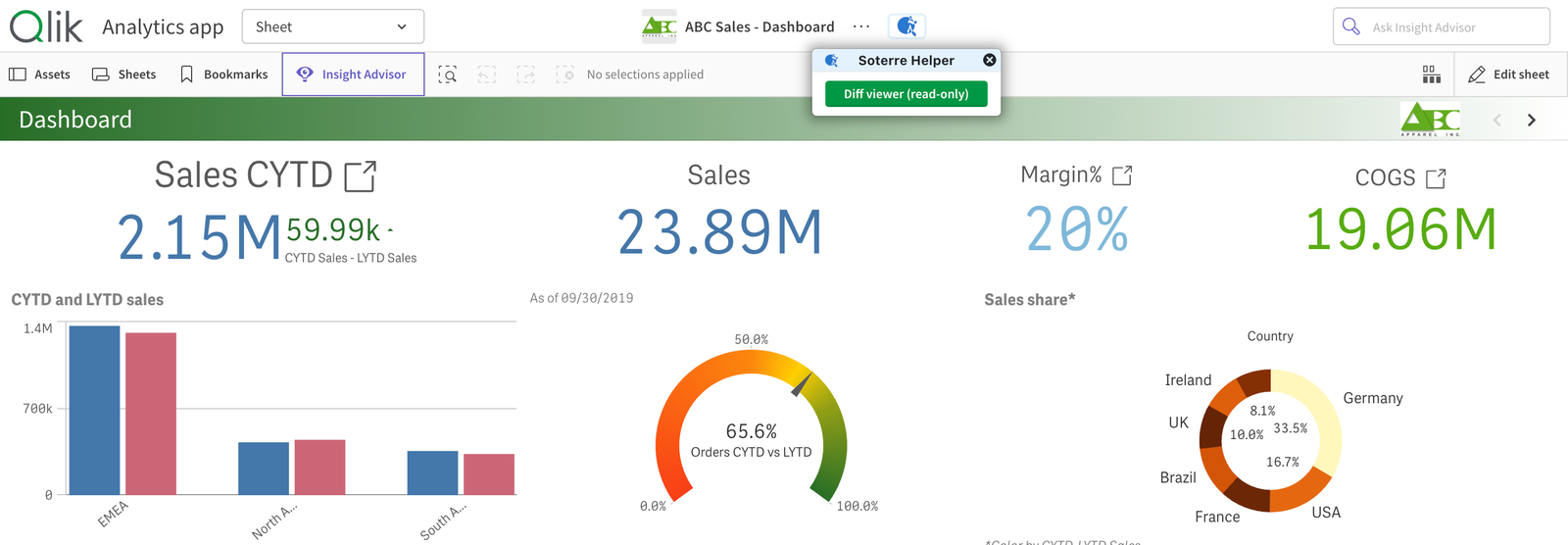
A green helper button next to the app name opens Time machine, Diff viewer and Set a thumbnail. On published (public) sheets the Diff viewer opens in read-only mode and Time machine is hidden, because the sheet cannot be modified.
Sheet edit mode
Master items are highlighted (red — broken, orange — unused, yellow — duplicated). The master measure editor gets Global Search and Ask AI buttons.
Data Load Editor

Toggle Theme and Diff Editor; FROM [lib://…/*.qvd] lines get QVD link icons; load errors get Copy and Explain.
Qlik Cloud hub
Global Search in the Create new app dialog, to check whether a similar app already exists.
Report toolbar

Global Search searches measures and DAX across the environments Soterre indexes; Diff Editor opens the Diff Viewer for the current report page.
Report editor
An Pre-deployment Checklist button, for the pre-deployment checklist of the report.
Data model view
Global Search for measures and DAX, so you can look for an existing calculation before adding one.
The rest of the Helper tools act on Qlik objects — sheets, master items, the load script — and do not appear on reports. Feature Availability has the full grid.
Feature list
| Feature | Needs Soterre | Qlik Cloud | Enterprise | Power BI |
|---|---|---|---|---|
| Time Machine | yes | ✓ | ✓ | – |
| Diff Viewer | yes | ✓ | ✓ | ✓ report pages |
| Global Search | yes | ✓ | ✓ | ✓ |
| QVD Links | no | ✓ | ✓ | – |
| Set a Thumbnail | no | ✓ | ✓ | – |
| Tags Manager | no | ✓ | – | – |
| Unused Master Items | no | ✓ | ✓ | – |
| Dark Theme | no | ✓ | ✓ | – |
| Load Errors: Copy & Explain | AI key | ✓ | ✓ | – |
| Ask AI | yes + AI key | ✓ | ✓ | – |