
Time Machine
Qlik Cloudsupported Qlik Sense Enterprisesupported Soterre Helperrequired Licenserequires Soterre
Time Machine renders a sheet as it was in any Soterre version. A timeline at the top of the page marks the versions; click one and the sheet below re-renders with that version's charts.
Open a sheet
Open a private (unpublished) sheet of an app that Soterre has versioned.
Start Time Machine
Click the green helper button next to the app name and choose Time machine.
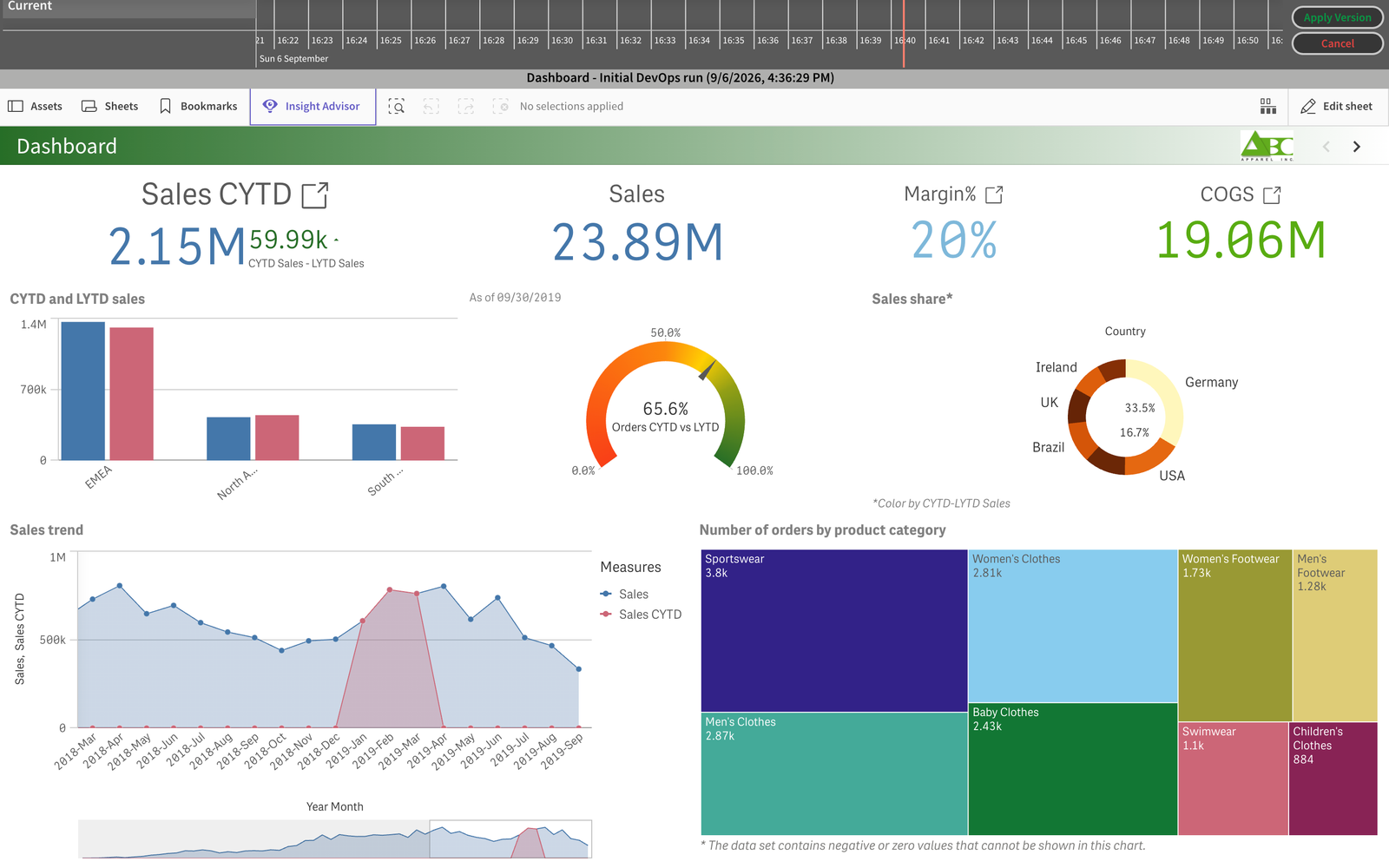
Travel
The timeline shows the days with a mark per Soterre version; the yellow Current state marker is the live app. Click a version to render it. The rendered sheet uses today's data with that version's layout.
Apply or cancel
Apply Version replaces the sheet in the app with the version you are looking at (only this sheet). Cancel closes Time Machine without changes.
Notes
- Time Machine is not offered on published sheets, because they cannot be modified; use the read-only Diff Viewer there.
- The load script and data are not part of it; use the Diff Editor of the Data Load Editor for the script.