
Import from another App
The Import tab copies objects from any application that Soterre has versioned — on the same or another node — into the app you have open. It is the fastest way to reuse a template sheet, a set of master measures or a script section.
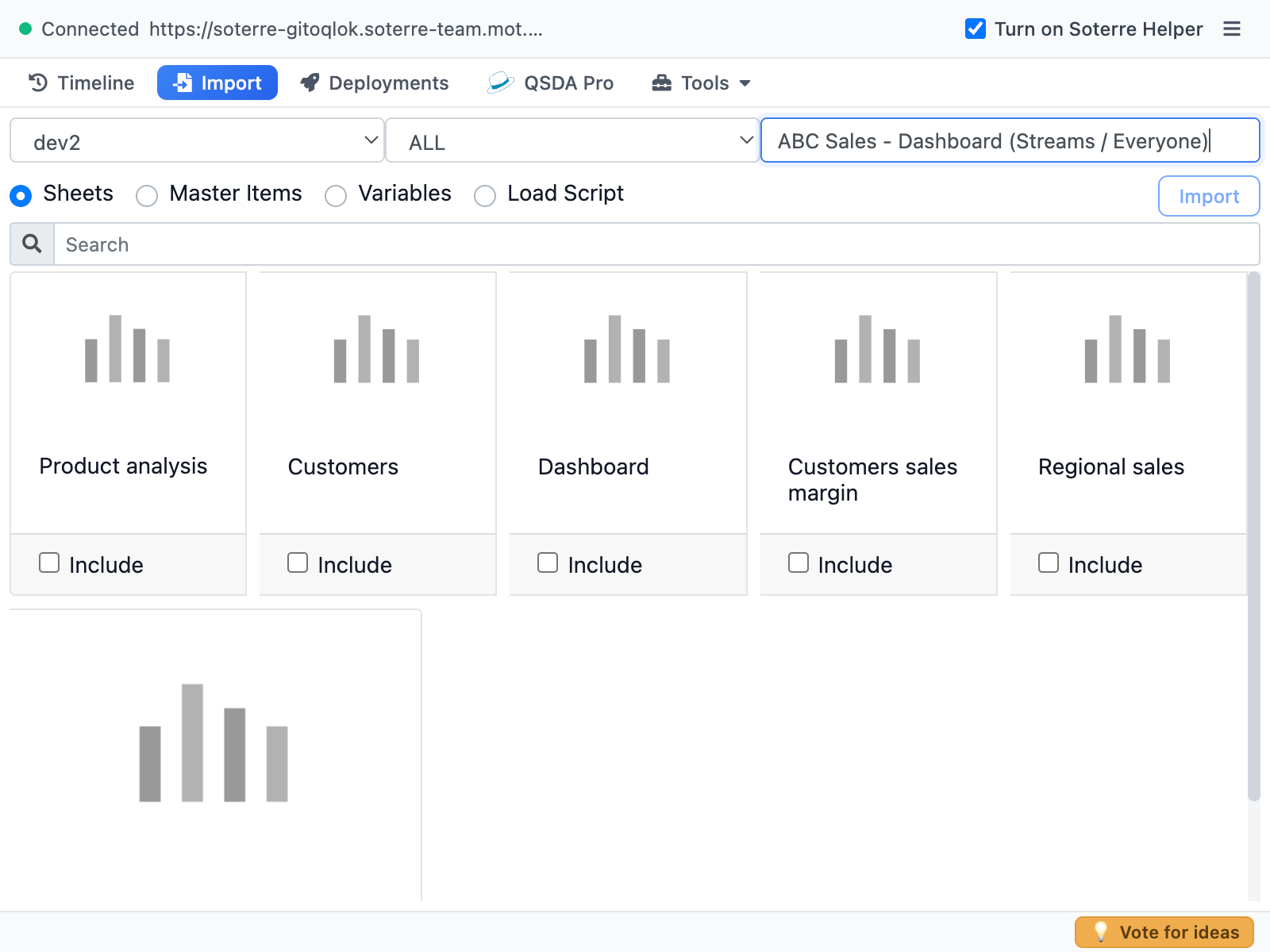
Choose the source application
Three controls at the top narrow the choice: the Soterre node (environment or tenant), the stream or space (ALL for every one), and the app search — start typing and pick the application from the list.
Choose the object type
| Type | What is listed | Where to open the tab |
|---|---|---|
| Sheets | The sheets of the source app with their charts | App overview or a sheet |
| Master Items | Master measures, dimensions and visualizations | App overview or a sheet |
| Variables | Variables of the source app | App overview or a sheet |
| Load Script | Script sections | Data Load Editor |
Select and import
Tick Include on the cards (or the items in the list), filter with Search if the list is long, and click Import. Sheets bring their charts along; master items referenced by imported charts are imported as well.
Resolve script conflicts
When a script section with the same name already exists, the Conflict dialog asks per section whether to Overwrite from repo (replace the existing section with the imported one) or keep the existing one.
Notes
- The source must be versioned in Soterre; objects are read from its latest version.
- The extension writes the imported objects into the open app through your Qlik session. Run Version Now afterwards to record the change in Soterre.