
Timeline
The Timeline tab shows the Soterre history of the artifact you have open — a Qlik app or a Power BI report — and lets you run the most common Soterre operations without leaving the BI tool. It is the tab the popup opens on.
Whatever you have open, the timeline is a list of change events recorded by Soterre, newest on top. Use the search field to find an object or a comment, and Filters to narrow the list by Tags, Artifact (object) or User Id. That much is identical on both platforms; what the events describe is not, so each platform is walked through separately below.
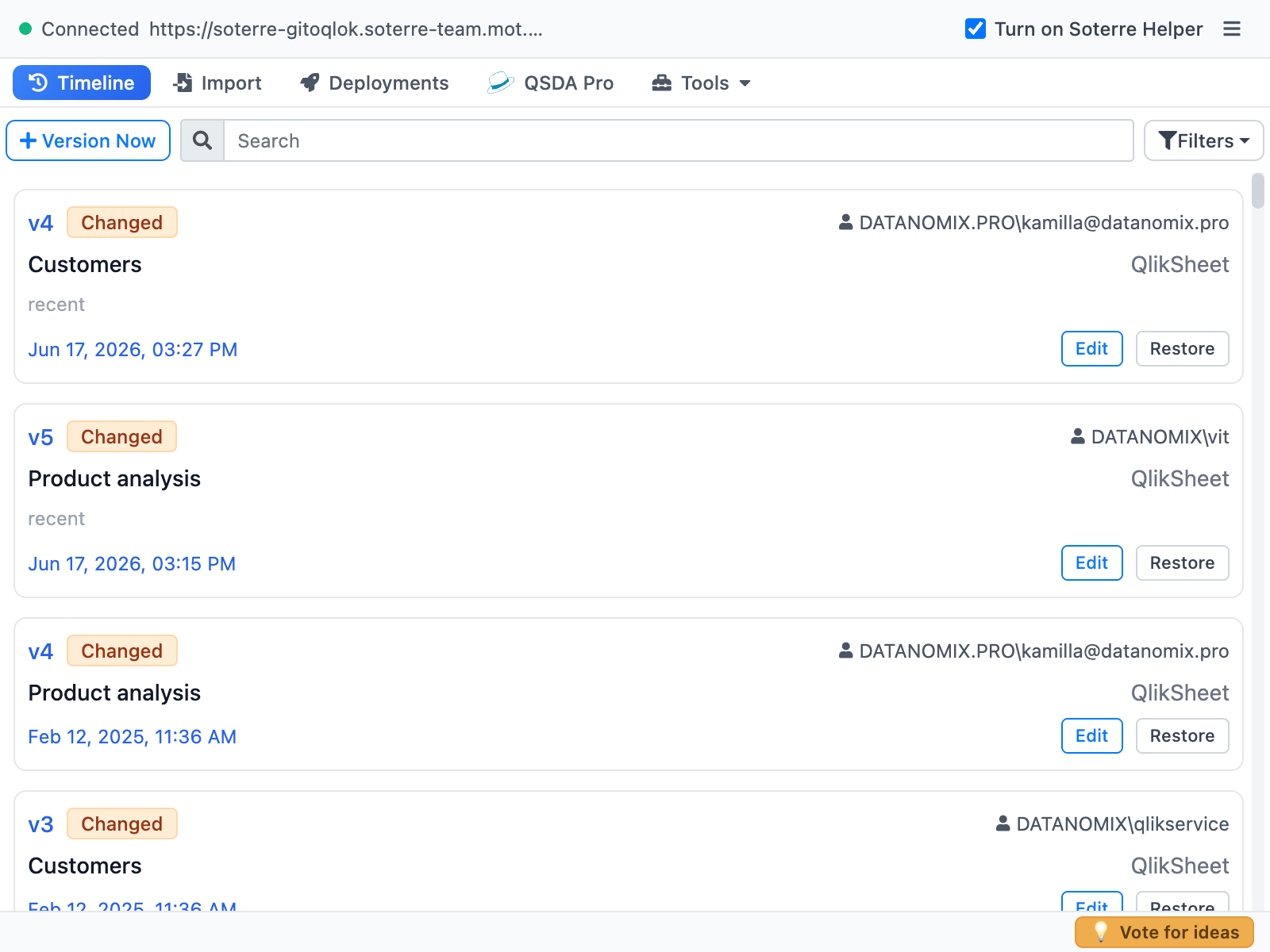
The timeline of a Qlik app lists every object Soterre versions: sheets, master items, variables, bookmarks, the load script and the app properties.
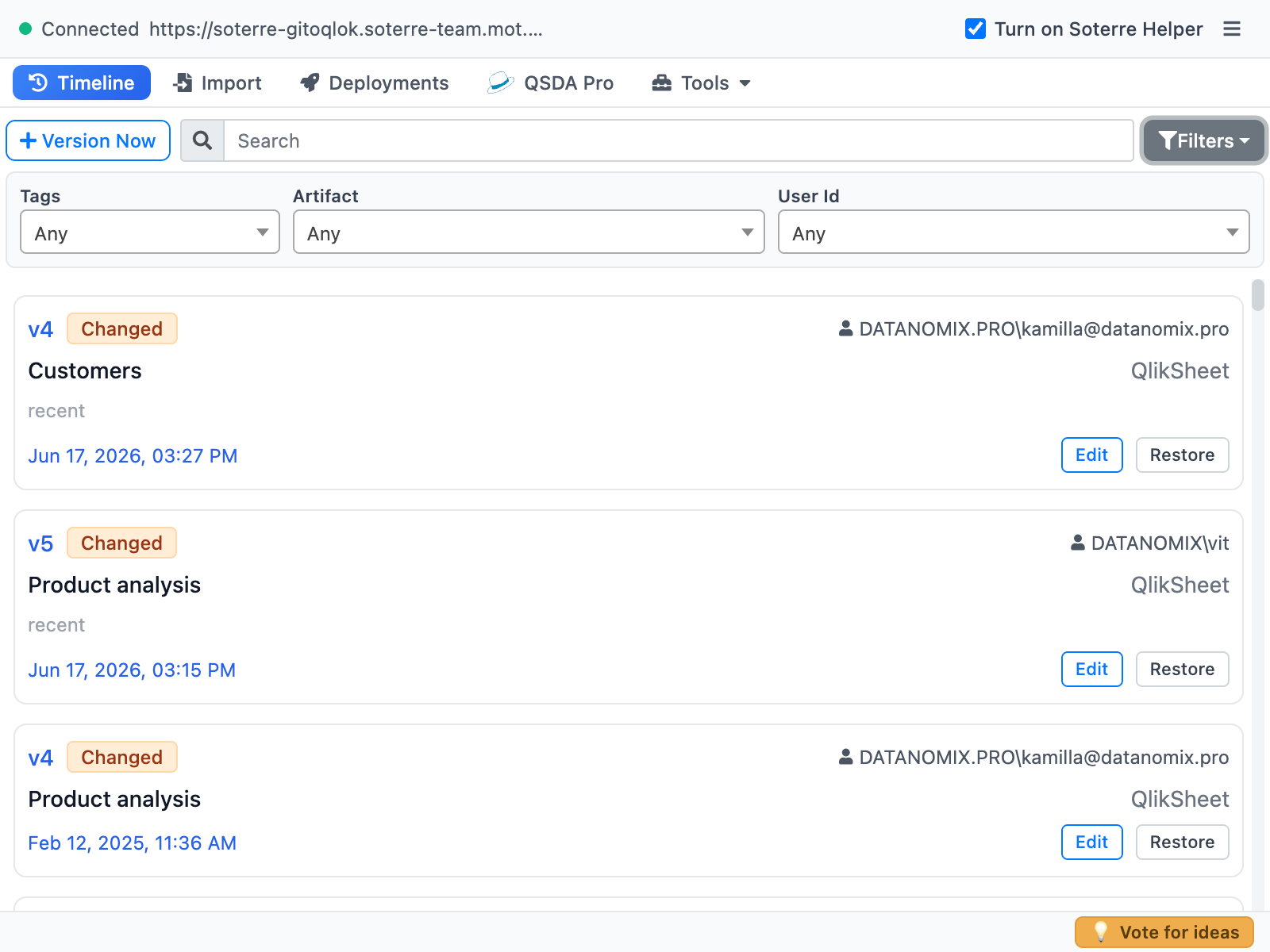
Filters: Tags, Artifact and User Id
Reading a change event
| Element | Meaning |
|---|---|
| v4, v5 … | The version number of the changed object |
| Added / Changed / Deleted | What happened to the object in this event |
| Object name and type | For example Customers · QlikSheet, vDateSelections · QlikVariable |
| User | The Qlik user who made the change, as Soterre recorded it |
| Comment | The comment of the change event, if any |
| Date | When Soterre recorded the version |
Version Now
+ Version Now asks Soterre to run Find Changes on the current app. Soterre compares the app with its last version and records a new one if anything changed.
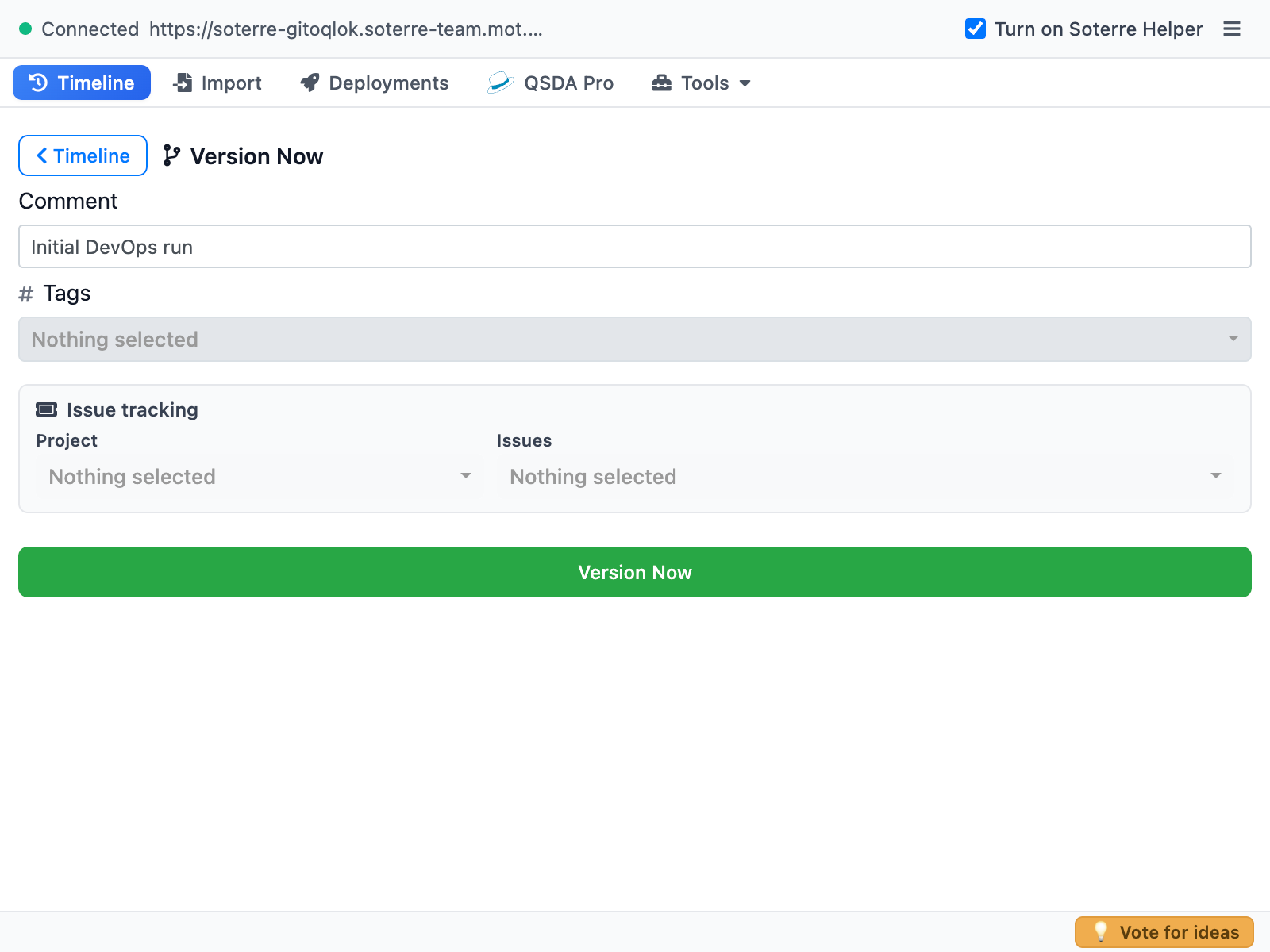
- Comment — the note applied to the new change events.
- Tags — Soterre tags for the new version.
- Issue tracking — a Project and Issues from the ticketing system integrated with Soterre, to link the version to tickets.
Click Version Now; the timeline refreshes when Soterre has finished (the status bar shows the progress).
Apps that are not versioned yet
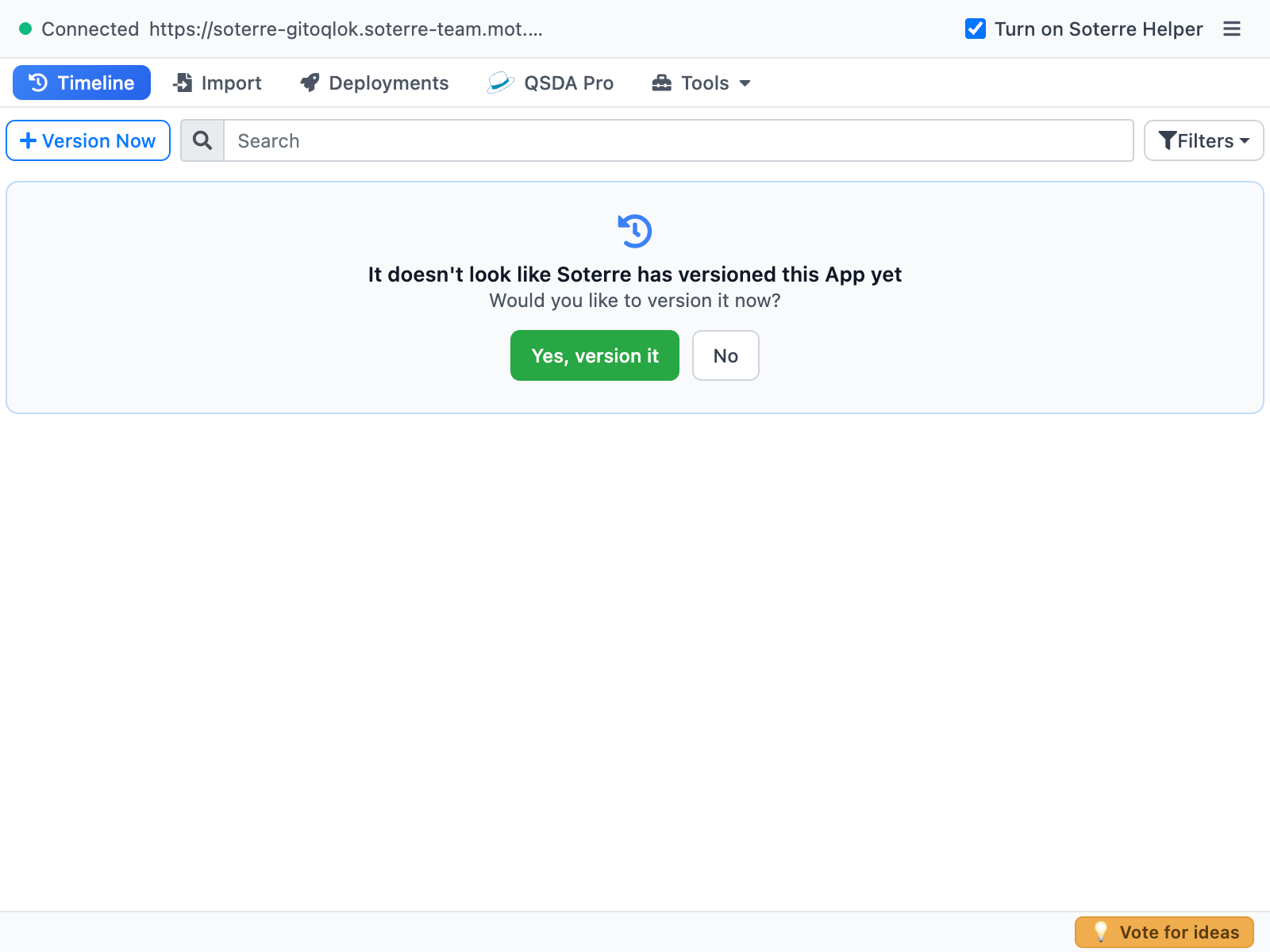
If Soterre has never versioned the open app, the tab says so and offers Yes, version it. The same form appears; after the first run the timeline lists every object of the app as Added.
Restore
Restore on a card asks Soterre to bring the app back to that version. The operation runs in Soterre and changes the app immediately; version the current state first if you may want to return to it.
Edit a change event
Edit on a card opens the event in place:
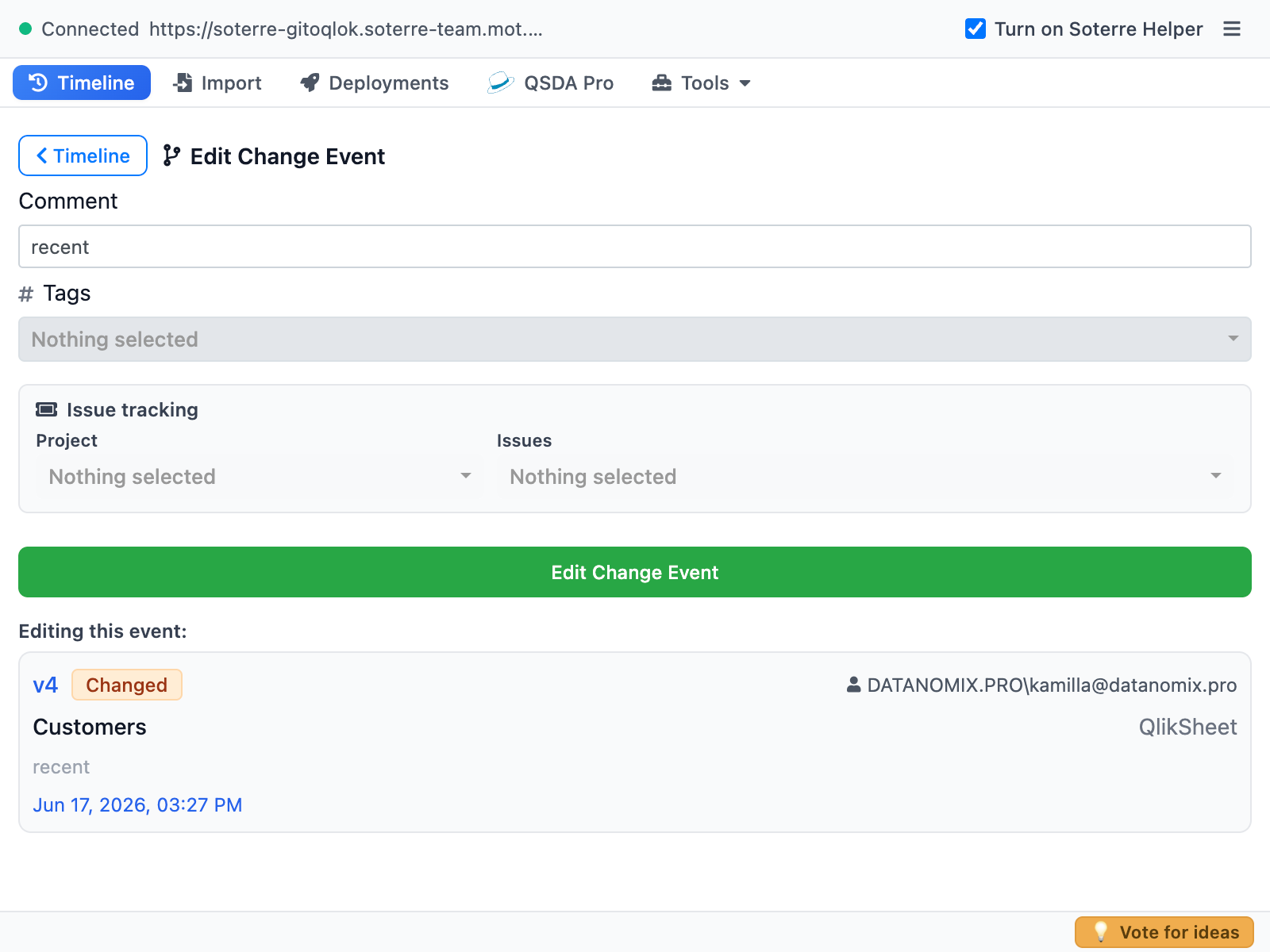
- Comment — describe the change for your colleagues.
- Tags — add or remove Soterre tags.
- Issue tracking — link the event to tickets of the integrated project.
Click Edit Change Event to save, or < Timeline to go back.
Open a report in the Power BI service and click the extension icon: the popup opens on the same Timeline tab. The events are the Soterre versions of the report and its contents — pages, visuals and measures.
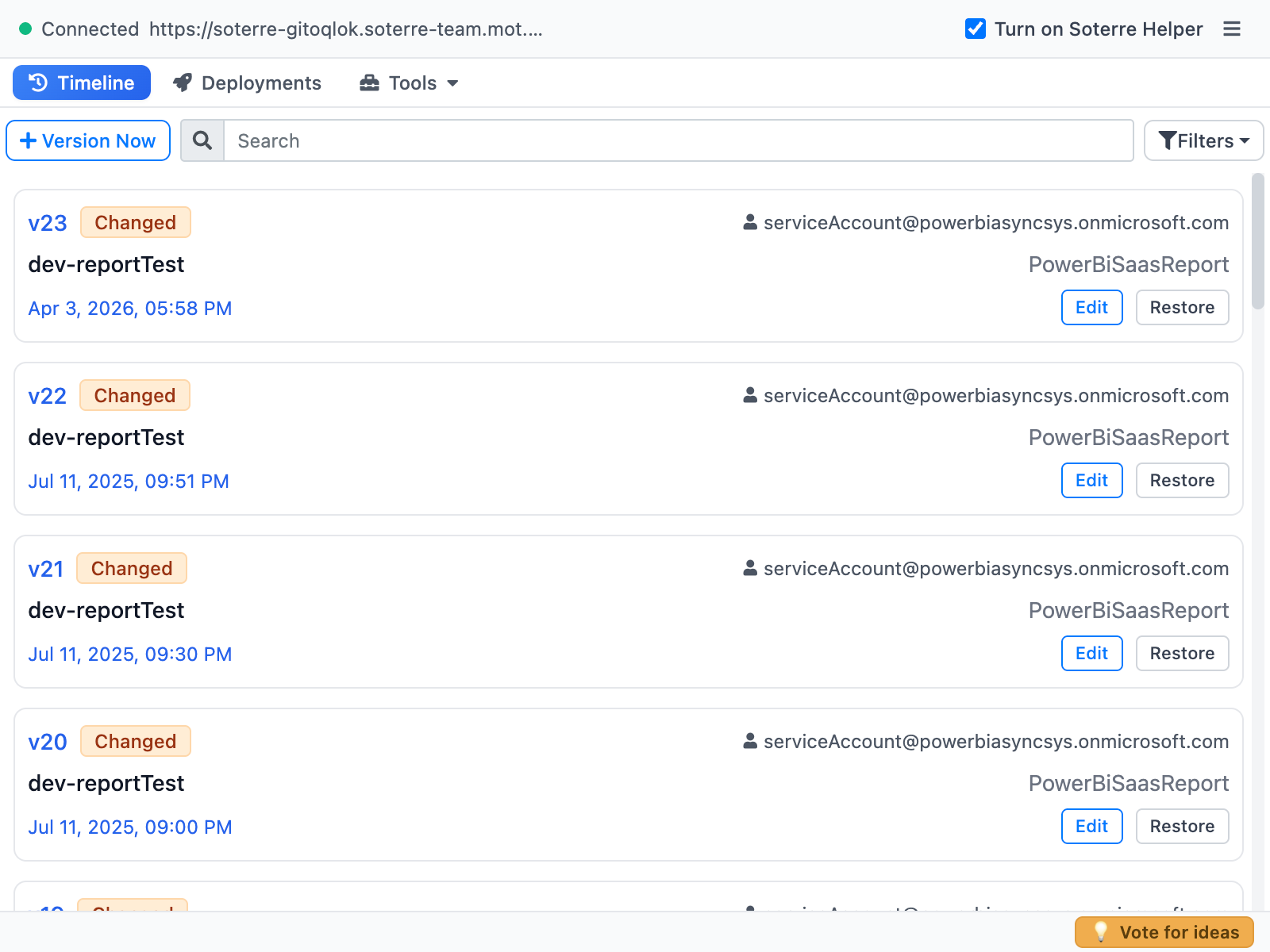
The tab bar on a report holds Timeline, Deployments and Tools; the Qlik-only tabs are hidden
The search field and the Filters dropdown (Tags, Artifact, User Id) work exactly as they do for an app.
Reading a change event
| Element | Meaning |
|---|---|
| v22, v23 … | The version number of the changed object |
| Added / Changed / Deleted | What happened to the object in this event |
| Object name and type | For example dev-reportTest · PowerBiSaasReport |
| User | The Power BI account that made the change — often the service account that syncs the tenant with Soterre |
| Comment | The comment of the change event, if any |
| Date | When Soterre recorded the version |
Version Now
+ Version Now asks Soterre to run Find Changes on the current report, exactly as it does for a Qlik app: Soterre compares the report with its last version and records a new one if anything changed. The form takes a Comment, Tags and an Issue tracking project with its issues.
Reports that are not versioned yet
If Soterre has never versioned the open report, the tab says so and offers Yes, version it. After the first run the timeline lists the report's objects as Added.
Restore
Restore on a card asks Soterre to bring the report back to that version. As with Qlik, the operation runs in Soterre and changes the report immediately.
Edit a change event
Edit opens the same in-place editor: Comment, Tags and Issue tracking links. Click Edit Change Event to save.
Requirements
The Power BI tenant must be connected to Soterre (3.1 or later) and the report versioned there. Power BI Desktop is not supported — the extension works on reports opened in the Power BI service (app.powerbi.com).
Related
- Deployments — promote the version to another environment.
- Time Machine and Diff Viewer — see the versions visually on a sheet or a report page.
- Lifecycle Insights — development activity summarised.